Did you know you could use the "pop-out" arrow on the top of a chat window to make a video chat bigger? This will separate the video chat into its own window that you can resize and move around as you like.
If you want to make the video chat as large as possible and block everything else out, simply use the Full Screen button in the top left corner of the video area. This will fill up your screen and make your conversation much more immersive. Based on the feedback you've given us, we have added the ability to mute your microphone while in full screen mode. To do this, simply hit the space bar!
Thursday, August 20, 2009
Google video chat tips, installment #1
Wednesday, August 19, 2009
Pidgin Adds Support for Google Voice and Video Chat
Just read that Pidgin 2.6.1 (on Linux) supports interoperability with Google video chat. Haven't had a chance to try it myself yet, but we'll be checking it out this week. Nice job Pidgin team!
Thursday, July 23, 2009
Temporary solution for Gmail voice and video chat on Linux
Also, responding to some of the comments on the 1.0.10 post:
- We expect to support ALSA and PulseAudio.
- The packetization to be used for H.264/SVC will be that specified in http://www.ietf.org/id/draft-ietf-avt-rtp-svc-18.txt, which is currently on its way to becoming a RFC.
Thursday, July 09, 2009
Cool testimonial for Gmail video chat
Saw this on YouTube today. It's great to see people having fun with our product.
Tweet your Gmail video chat experiences!
"set up gmail video chat for my parents for while i'm away. they're so impressed that i can click a series of buttons and magically appear." (link)
"Google video chat is pretty awesome in terms of a free service. I am left wondering why Google is not promoting it more aggressively." (link)
"Just discovered Gmail's "Archive" feature, along with a whole slew of things I didn't know existed. Best video chat ever." (link)
Monday, July 06, 2009
Gmail video chat on a plane!
As an experiment I tried having a real-time video chat with my dad using Gmail and it worked relatively well. Video/sound cut in and out. Still, it was all quite manageable as you can see from the screen capture...
Tuesday, June 30, 2009
Gmail voice and video v1.0.10
- When uploading a log file to Google, we now display an incident ID that you can use when reporting an issue.
- Improved software auto-updates to now complete successfully even if Gmail is open, so upgrading to the latest version now happens more quickly. (We are still working on improving this on Windows Vista.)
- Improved call setup time when behind firewalls that only allow outgoing HTTP/HTTPS.
- Fixed issue where a device access dialog box would sometimes appear when starting a call.
- Fixed crash when using a software firewall that caused UDP socket creation to fail.
- Fixed crash that could occur in rare cases when a timing function returned the same value twice in a row.
- Fixed an issue on Vista where software auto-updates could cause the browser to suddenly restart.
- Fixed an issue where having the 'Sony BlueTooth Video' camera device would cause the browser to crash.
- Fixed various issues with code signing.
- Fixed an issue on 10.5.7 where the microphone would only work for the first call.
- Fixed several issues with the installer that could cause preflight_script errors or other problems.
- Fixed an issue where the built-in iSight camera could fail to be detected.
- Fixed an issue where audio and video would suddently freeze about 2 minutes into the call.
- Fixed an issue where the plugin could get into a loop and consume 100% CPU.
Monday, April 06, 2009
Gmail voice and video v1.0.8
- Added support for the H.264/AVC video codec, in addition to the H.264/SVC codec that we typically use. This allows us to be compatible with video software that does not yet support SVC. When using H.264/AVC, Gmail video chat will send and expect in-band parameter sets, and send using a single-NAL RTP packetization.
- Made several improvements to voice quality, including additional tuning of our echo cancellation and automatic gain control algorithms.
- Fixed a problem where device settings would not be saved in some cases if no webcam was present.
- Fixed a problem where the browser plugin would sometimes not be detected by Gmail, even though it was installed.
- Fixed various crashes in the browser plugin.
- On Windows, fixed a problem where video chat would never work in certain network conditions. This was most often seen when using wireless broadband or other types of PPPoE connections.
- On Windows, fixed a problem where certain Sony Vaio cameras could cause the browser to crash when starting a video chat.
- On Windows, fixed a problem where certain Creative cameras could cause Chrome to display a "sad plugin" when starting a video chat.
- On Mac, fixed a problem where users of PostgreSQL (or any other app that uses a lot of shared memory) would see a "black box" instead of video.
Monday, January 26, 2009
Watch YouTube videos right inside Gmail chat
It's also great for when friends send you a video link in chat. We parse the link and insert a thumbnail with the video title so you know exactly what your friend is trying to share with you (a rickroll, maybe?) Just click on the thumbnail and you can then watch the video right inside Gmail, without opening a new browser window or tab.
It's a fun feature, and makes sharing videos much more interesting. Check it out!
Tuesday, January 20, 2009
Gmail voice and video v1.0.5
- On Windows, enabled sending and receiving video for CPUs without the SSE2 extensions (such as Athlon XP and Pentium III). Due to the lower processing power of these CPUs, the resolution of the sent video will be reduced.
- On Mac, added support for the macam USB camera driver library, enabling hundreds of branded and generic webcams for mac users. Some work better than others; depending on the camera, you may experience low performance or errors when using macam. For best results, we recommend having only a single macam device attached, and closing Gmail before plugging or unplugging macam devices.
- On Mac, changed automatic updates to no longer prompt the user to shut down the browser.
- Fixed several issues on both platforms where the plugin could crash during or while ending a call.
- Fixed an issue on certain Sony Vaio notebooks where the web browser would crash during call setup.
- Fixed an issue on Mac where the plugin would crash during call setup if the installed version of QuickTime was very old.
- Fixed an issue on Mac where old instances of the plugin would still appear in the Activity Monitor.
Saturday, December 20, 2008
Snow in Seattle, 2008
Winter's officially here in Seattle. After schools were closed on Wednesday on the possibility of snow, we got a few inches on Thursday, which promptly made driving an interesting physics experiment. Today, it was 13 degrees outside when I woke up, and the forecast calls for 4-8 more inches of snow and winds up to 50 MPH. Brrr....
Wednesday, December 17, 2008
Google Seattle Holiday Party 2008

Photo credit: Steve Lacey
Thursday, December 11, 2008
Google Android robot, full size
Tuesday, December 09, 2008
Tuesday Mailbag
Monday, December 08, 2008
Gmail voice and video v1.0.3
Here's what's new in version 1.0.3:
Windows related fixes
- Fixed issue where the browser would be unable to communicate with the plugin, resulting in "Detecting devices..." forever.
- Resolved incompatibility with Creative camera drivers and software that could result in browser crashes.
- Implemented first fix for issue where users saw green bars and plugin crashes on machines without support for SSE2, such as Athlon XP, Pentium III, and previous. For these machines, only avatar images will be displayed during a video call, as if no camera is present. We are continuing to work on this issue.
- Fixed issue where users could select the known incompatible "Asus virtual Camera" driver.
Mac related fixes
- Fixed issue where the "Default device" option may not actually select the default microphone.
- Fixed issue where installer could incorrectly report a successful install when it actually failed.
- Fixed issue where users with high UID values could only see black video (AKA the "black box" issue).
- Fixed issue where the installer misidentified some Intel machines as PPC.
- Made made several internal improvements to the installer.
Wednesday, November 12, 2008
Day 2 Mailbag
Q: Will you release an open source version of the plugin?
A: Our plugin is built on the libjingle open-source library. At a minimum, we plan to release an updated version of libjingle.
Q: What video codecs do you support?
A: Today we support H.264/SVC, an extension of H.264/AVC that excels in realtime scenarios. As SVC is a superset, the Gmail client can currently decode an AVC bitstream, and clients receiving a SVC bitstream can do some minimal NAL sorting to decode just the AVC component of the bitstream. We plan to add support for sending an AVC bitstream if the remote client requests it. In the future we may also support H.263.
Q: Is there a RFC for H.264/SVC packetization?
A: The packetization has not yet advanced to RFC status. We are currently using one of the more recent drafts (need to check on exactly which one). We plan to move to the final version when it is available.
Q: How can a 3rd-party client interop with Gmail voice and video chat?
A: Right now, any client that supports the Google Talk "session" extension to XMPP and a compatible set of codecs can participate in calls with Gmail voice and video chat. Now that the official Jingle specifications are becoming final, we plan to move to using XEP-0166, XEP-0167, and XEP-0180.
Q: Will a desktop version be available?
A: Please see this post on the Google Talk Blog.
Tuesday, November 11, 2008
Say hello to Gmail voice and video chat

Thursday, June 12, 2008
Using Google Talk chatback from Blogger
To add chatback to your blog, first go and create a chatback badge at http://www.google.com/talk/service/badge/New. Configure it to your liking with the "Edit" link, and the copy the HTML from the box at the bottom to your clipboard (Ctrl+C, or Apple+C)
Then, log in to Blogger and choose the "Layout" tab for your blog. Decide where you'd like the chatback widget to go, and choose the appropriate "Add a Page Element" link.
When presented with the list of possible elements, choose "HTML/Javascript". A window with a "Title" and a "Content" box will pop up. In the "Title" area, you can type whatever you want for a heading, such as "Contact Me". In the "Content" area, paste the HTML you copied before (Ctrl+V, or Apple+V). Click "Save" and the window will close.
You'll then see the new page element show up on your blog layout. Choose "Save" again on that page, and you should get a message indicating that "Your changes have been saved". Your chatback badge will then be live, and will show up the next time you view your blog.
Tip: You can customize your chatback badge to match the look of your blog by specifying the font and color used in the badge. Learn how to do so in this post on the Google Talk blog.
Tuesday, April 01, 2008
Google Talk goes Green
Here at Google, we're committed to helping build a clean energy future and reducing our carbon footprint. And now Google Talk is part of the solution. We don't know about you, but we were surprised to learn the inconvenient truth that every character (byte) we send in a message results in about 0.0000000000000000034 metric tons* of CO2 being released into the atmosphere! So if we can reduce the number of characters we send when we chat with all our friends, we can help the environment at the same time.Of course, if you want to make an even bigger difference, you may want to look into becoming a Virgle Pioneer.
Teenagers (and some adults) must be aware of this, because they already reduce their character usage by abbreviating words and dropping vowels when they send IM and SMS (text) messages. We think this is a great idea. If all our millions of users started using IM-speak, we'd save hundreds of millions of wasted (and environmentally damaging!) characters.
For example, if we want to say:
As far as I'm concerned, you can give me the twenty dollars you owe me when I see you later.
You could save more than 50% in wasted characters by saying:
AFAIC, U can gve me the 20 $$ YOM whn I CUL8R.
In honor of Earth Day (3 weeks from today: April 22, 2008), on that day our Google Talk servers will start automatically sending your conversations using IM-speak instead of normal words. But you can help save some computing power (and more wasted energy!) by shortening your conversations yourself.
Tuesday, February 26, 2008
Add Google Talk chatting to your blog!
This week we launched the Google Talk Chatback feature, which allows you to add presence and instant messaging functionality to your blog or website. You can create a Chatback "badge" here, which will give you HTML code to paste into your page.
Your badge will communicate your presence state to readers of your page, and optionally display your Google Talk status message. Guests visiting your page can click on the badge to immediately start a chat with you, with no Google account or download needed. In addition, your email address and Google account stay hidden, meaning that you won't have to worry about spammers getting your contact information (an unfortunate side effect of using a mailto: link).
It's a neat feature and it's super easy to set up and use. As an example, you can use the badge above or in the "Contact Me" section to chat with me right now. Give it a try today!
Friday, January 18, 2008
AIM XMPP gateway is now live!
Thursday, December 13, 2007
Set your Google Talk picture from your webcam
Check out the official Google Talk Blog - this week we launched a feature that allows you to set your Google Talk picture from your webcam.I wrote this as a small side project to teach myself Flash/Actionscript, which was quite, um, interesting, given my C++ background (I miss static type checking). It was a lot of fun though, and I owe many thanks to our UX designers who helped supply the necessary "Googley" factor.
You can try it out here in the Google Talk gadget - simply click on your Google Talk picture in the upper right hand corner, and choose the "Take Photo..." option (you'll need a webcam to see this option). You can also see how it works (in Japanese) in this unofficial video.
There are a few undocumented keyboard shortcuts for this feature:
- SPACE
will take a picture ESC will discard the taken picture ENTER will save it as your Google Talk picture
Tuesday, December 04, 2007
Google Talk + AIM = Now!
It's been almost two whole years (and a new job and hometown) since I first blogged about Google Talk and AIM getting together, but today, it's ready to go! Starting this morning, we're rolling out AIM support to all Gmail accounts. You'll be able to link your AIM name to your Gmail account, and contact any of your AIM buddies directly from the Talk client inside Gmail.As a longtime resident of the AIM universe, I never thought that I would give up my favorite AIM Lite for a web client. But the AIM integration in Gmail is that good. It's fast, easy to set up and use, and works on any computer. Best of all, it saves your IM sessions in Gmail, which makes it easy to remember a conversation from months ago. Bottom line: if you use Gmail and use AIM, you'll probably really enjoy the combined experience.
Some answers on what are likely to be FAQs:
- By default, your AIM buddies are displayed in the "most popular" order typically used in Gmail and Google Talk. To view them in alphabetical order (and enable the scrollbar), click on "Options" at the bottom of the contact list on the left side and choose "Top 250".
- You can also adjust the size of your contact list by clicking on "Options" and selecting between "Tiny", "Small", "Medium", and "Large".
- AIM users that are away or idle show up as yellow dots. The away message, if present, is displayed in the contact list.
- Your Gmail status message carries over to AIM, and vice versa.
- You can see AIM users' buddy icons, but setting your Gmail user avatar does not currently affect your own AIM icon.
- If you log into Gmail using HTTPS (as I mentioned here), your AIM session will be secured as well.
- This integration is not XMPP Federation. This was a contractual limitation. On the plus side, this means Gmail users don't need to manually add all their AIM friends to their Gmail contact list.
- The AIM implementation was developed on top of the Open AIM libraries. (It's a little weird knowing that the code my team wrote at AOL is now running in Google datacenters.)
Monday, December 03, 2007
Mount Si in the Snow
| From Mount Si in t... |
They say there is no such thing as a Seattle hiker who hasn't been to the top of Mount Si. With that in mind, I hiked the 4,167 foot mountain a few weeks ago with my brother, hoping a great view of the Snoqualmie valley would be waiting for us at the summit.
Well, not exactly. Above 3500 feet, the temperature dropped below freezing, the Seattle rain turned into snow, and there was little protection from the wind. We scrambled over snowy, slippery rocks to arrive at the first summit, where we found that the view was indeed terrific... for about 100 feet.
Regardless, the snow added a fun twist on what was already a great hike. If you ever have the chance to hit Mount Si when the conditions are right for snow, I highly recommend trying it.
Monday, October 08, 2007
1 Year at Google!

Tuesday marks a year for me at Google. Woohoo! I think that means I'm no longer a Noogler. I still can't disclose what I'm working on (although it is extra-awesome).
But my AOL non-recruit agreement has expired. Now accepting resumes!
Thursday, August 16, 2007
Google expanding in Kirkland
Update: Another story, with pictures, in the Seattle P-I.
View Larger Map
Wednesday, August 08, 2007
Lessons Learned: Google Tech Talk on Building Scalable Systems
It's also interesting to note that many of the methods used to scale the Google Talk service to millions of online users were the same ones used at AOL to scale up the AIM service. There are a number of minor architectural differences between the two systems (XML vs binary protocol, gatewayed connection to presence server vs direct, for starters), but the essentials are very similar.
You can watch the full talk with Q&A below, or if you'd rather just read the highlights, check out Dare Obasanjo's notes from the conference.
Sunday, August 05, 2007
Random IM of the Week
| sender: sir sender: please cancel your hamburger sender: ive asked you twice sir me: cancel sender: sir sender: dont play games with me sender: have you cancelled your hamburger? me: it was a cheeseburger sender: sir that will not do sender: cancel your hamburger now me: can it be a double hamburger? sender: yes sir the more the merrier sender: sir cancel it me: ok cancel my double hamburger then. sender: ASAP sender: sir i cannot cancel it for you sender: it is YOUR hamburger sender: you must do it me: ok. cancelled. sender: sir you and i both know much more effort is required a double hamburger sender: please refrain from playing games sender: sir me: right. my mistake. cancelled cancelled. sender: sir sender: please refrain sender: control yourself sender: no need to yell sender: calm down sender: im willing to negotiate sender: sir? sender: sir if you do not respond your are terminated i hope you realize sender: terminated sir me: my hamburger will be terminated? sender: no you sir will be terminated sender: sir sender: you are terminated due to lack of balls sender has signed off. me: but what about the hamburger? |
Monday, July 30, 2007
Google Tips and Tweaks
From Marc and Angel: 7 Clever Google Tricks Worth Knowing
My favorite tip is #1, using Google Image search to search for faces. Try it!
From Trendplex: Top 10 Gmail Tweaks
Here I like the Gmail conversation preview plugin - right click on a conversation to quickly view the conversation in a popup, as shown here.Wednesday, July 25, 2007
iPhone in a Blender

Ever wonder what would happen if you put an iPhone in a blender? Me neither. But it's pretty amazing to watch anyway. Check this and other interesting blendings out over at willitblend.com.
Tuesday, July 24, 2007
Google NYC
I spent a week of that time at the Google office in New York City. It's an incredible facility - the building takes up an entire Manhattan city block, and the view from the cafeteria on the 8th floor is truly remarkable.
The culture is definitely different than either the Kirkland or Mountain View offices - still Googley, but with much more of an urban feel. If this sounds interesting to you, you can find out more about Google NYC here.
Wednesday, June 13, 2007
Seattle Times: The lure of great Google perks
"My theory is none of this is real and we all went to programmer heaven," [Google engineer Steve] Yegge said.
"I think that every 10 years there's a place to work," he explained. "It was Microsoft in the 1990s, arguably Apple in the '80s. ... Google is that Mecca right now."
Being such a great place to work has definitely helped with recruiting. We've grown substantially since I started 8 months ago, and it looks like this trend is expected to continue.
Managers said they haven't seen a drop in applications and they have authority to hire as many smart people as they can find [...] Google's local engineering group is up to 400; within five years it should have "a couple of thousand employees" in the area.
Brier also enjoyed his Google lunch so much that he wrote a separate column with a review of the food.
Tuesday, May 15, 2007
Instant messaging: feature or product?
An interesting article about how instant messaging is increasingly being integrated into web applications. Just like web email largely replaced desktop email clients, a similar shift is starting to happen with instant messaging. Here's what the article has to say about Google Talk:
Gmail has already successfully integrated the company’s IM platform, GTalk, so that its users can chat while emailing. We’ve also heard rumors that GTalk will be integrated with applications such as Google Docs. AOL and Google also agreed to make their IMs interoperable, albeit in a roundabout way — and it looks like this will happen soon. Like [Microsoft software architect Ray] Ozzie, Google CEO Eric Schmidt has been stressing the importance of mobile — like Microsoft, Google is integrating apps across platforms. What’s more, 3rd party sites such as Joost are integrating GTalk into their offerings.
Friday, May 11, 2007
NES Nostalgia
A co-worker mentioned this little gem to me this week: 100 of the top NES games, playable in your browser with no download. It's implemented as a Java applet, and the games play pretty well, with only an occasional framerate stutter.
In addition to Super Mario, there's Zelda, 1942, Double Dragon, Tecmo Super Bowl, and 95 other ways to trigger a late 80's flashback.
If you find yourself addicted, many of these games are available from the Nintendo Wii's Virtual Console.
Thursday, May 10, 2007
Windows Live Messenger Customer Study
What is your one favorite Messenger Feature?At first, I was surprised by some of these features near the top of the list. Turns out though that they aren't in any particular order.
* IM
* Video Call
* Sharing Folders
* Voice clips
* Emoticons
* Games and Activities
* OIM - Offline IM
* Nudge
* Display Picture and Personal Status Message that follow you
* Ability to log into Messenger with any email address
Tuesday, May 08, 2007
Where did April go?
InformationWeek: "Could An Enhanced Google Talk Spell The End For Skype?"
IP Telephony, VoIP, Broadband: "Google Talk is headed to Google's corporate backwater..."
Tuesday, March 27, 2007
Commodore Nostalgia
Just got done reading "On The Edge: The Spectacular Rise and Fall of Commodore", by Brian Bagnall. As someone who grew up right outside Commodore headquarters and learned to write code for both the C64 and Amiga computers, it brought back a lot of memories. If you ever read a copy of COMPUTE!, played a game by Epyx, or experienced a Guru Meditation Error, you'll get a kick out of this book.
The book paints a detailed picture of the various eras of Commodore technology, but it also provides compelling portraits of the engineers and executives responsible for Commodore's successes and missteps. You can really feel for the engineers who invested so much of their lives into the company with seemingly so little in return.
Some interesting factoids are revealed as well. The stories behind why C64 games took so long to load, how the Amiga chips got their names, and why so many Commodore computers were DOA are all covered in the book.
One particular thing that jogged my memory was the descriptions of the various marketing campaigns. I can still recall the strains of J.S. Bach's Invention #13, which was featured in one of the early Commodore commercials. So after finishing the book, I checked to see if any of these commercials could be found on YouTube. YouTube did not disappoint - enjoy the VIC-20, C64, and Amiga commercials in all their 80's glory...
Tuesday, March 20, 2007
Embedding the Google Talk Gadget
- Bookmarklet: Drag Google Talk to your Bookmarks Bar for 1-click access to a floating version of Google Talk.
- Firefox Sidebar: go to http://talkgadget.google.com/talkgadget/client, bookmark it, and check the "Load this bookmark in the Sidebar" checkbox in the dialog that pops up:
Hit OK, click the bookmark, and it will open in Firefox's sidebar panel. - Netvibes: Check it out in your Netvibes Homepage.
Wednesday, March 14, 2007
Google Talk Gadget

Today, we're releasing the Google Talk Gadget - a embeddable component that provides a rich IM experience anywhere on the web! It's Flash-based, so it's nice and snappy, requires no download, and works anywhere Flash 8 is supported, including Mac OS X and Linux. It's got the same look and feel as the downloadable Google Talk client, along with some cool new features, including integration with YouTube and Picasa - if you add a video as your status message, your friends can watch the video directly from Google Talk!
See it in action, or check it out in this YouTube video. If you're using the Google Personalized homepage, you can add the gadget to your page. Or, if you'd like to add it to your own page, learn how here.
More coverage on the Google Talk Blog and Official Google Blog.
Tuesday, March 13, 2007
Matt Cutts on "Not trapping users' data"
Schmidt was asked if users could get all of their search history and export it to Yahoo. “We would like to do that, as long as it is authenticated….If users can switch it keeps us honest.”Matt looks at various Google products and finds that most of them do allow you to export your data, including Search, Gmail, Google Docs, Google Calendar, Google Reader, Blogger, Google AdWords, Google Groups, and a few others.
Matt also mentions Google Talk, noting that the service supports the open XMPP protocol and therefore can be accessed by any XMPP client. That's definitely a big positive; in addition, you can export your contacts as a CSV file from Gmail (go to "All Contacts", click on "Export"). However, there's no easy way right now to get at your saved chat history; Gmail's POP access doesn't include chats. Clearly, that's something we'll want to address in the future.
Update 3:25 PM: added explanation on how to export contacts.
Saturday, March 10, 2007
Lessons Learned: Google Report on Hard Drives
- There was no consistent pattern of disk failure associated with high temperature or increased disk activity.
- Some SMART error signals are well-correlated with impending drive failure, including scan errors, reallocation errors, and probational counts; drives that reported a scan error were 39 times more likely to fail within 60 days.
- However, other SMART error signals have only weak correlations with failure, namely seek errors and CRC errors; over 72% of all drives reported at least one seek error.
- A majority of the failed drives (56%) reported none of the aforementioned well-correlated errors, and a large fraction (36%) reported no SMART errors whatsoever.
Lots more data and details in the full paper.
Crunch Time...
Wednesday, February 21, 2007
Tivo Series 3
I've had a Tivo Series 2 for years. Before I got it, people would tell me, "it will change the way you watch TV". I found this hard to believe at the time, but after using Tivo for a few weeks, it quickly became hard to remember the pre-Tivo days. Watching TV on my own schedule + Tivo suggestions + instant replay + 30 second skip = a truly better TV experience.
Until the local cable company started offering HD programming. I then found myself having to choose between HD content the old-fashioned way, or the now-inferior SD picture on Tivo. Additionally, I now had both the Tivo and the cable box sucking power 24/7. In an attempt to resolve this, I tried the cable company HD DVR, which seemed like a reasonable solution, but it just couldn't match Tivo. Awful UI + no 30 second skip + massive power consumption + lockups = a very unsatisfactory product.
So the notion of a Tivo, with all its goodness, that could display/record HD seemed like the perfect solution. And when I found out that I could transfer my lifetime membership from my Series 2, I was sold. Having now spent about two months with the Tivo Series 3, I can say it has lived up to my (high) expectations. The high points:
- Same great Tivo UI
- HD recording/playback
- THX certified
- Dual tuners (works for HD, too)
- Internal format conversion (essential when your TV only does 1080i)
- Lifetime membership transfer
- Great remote (even better than the Series 2)
- 30 second skip still works!
- Tivo to Go is currently disabled
- No HD display for Music/Photos
- Music/Photos does not support DLNA media servers
Thursday, February 15, 2007
Gmail Theater: Why Use Gmail?
Why you should use Gmail... in four acts.
And now that you're convinced you should use Gmail, you can sign up for an account at http://mail.google.com/mail/signup. As of yesterday, we've dropped the invitation requirement for new accounts, so anyone can use Gmail.
Tuesday, February 06, 2007
Google Talk URLs
Did you know that Google Talk has its own URL scheme? These "gtalk" URLs can be embedded in web pages or desktop shortcuts to make it easy to message or call someone from Talk. Right now, the two supported URLs are:
gtalk:chat?jid=foo@gmail.com (starts a chat)
andgtalk:call?jid=foo@gmail.com (starts a call)
Simply replace "foo@gmail.com" with the XMPP ID of the person you want to chat with/call and you're all set.
If you use multiple accounts, you can also add the "from_jid" parameter to the URL to control which account the message is sent from. Here's an example of a URL using from_jid:
gtalk:chat?jid=foo@gmail.com&from_jid=bar@gmail.com
As mentioned above, "call" and "chat" are the only URL commands currently supported. If you specify any other string, invoking it will simply cause the Talk client to come to the foreground.
Update: previously I had mentioned that you could use these links to put a "contact me with Gtalk" button on a web page. I goofed; the currently released version of Google Talk won't bring up the invitation UI when these URLs are invoked, so you can't do this quite yet.
Thursday, February 01, 2007
Usage Stats From the Major IM Networks
Yesterday I saw a post from the Windows Live Messenger team where they said that they recently went over 30 million simultaneous users. Now, lots of statistics are offered up by the major IM networks when referring to their respective audiences, but the two that I like to focus on are simultaneous online users and IMs/day. Claims about "active users" or "total users" can be hard to compare, since it all depends on how you count. Simultaneous users and IMs are clear indications of how many users are stressing the system on a daily basis.
The WLM post got me interested on whether I could determine these numbers for all the major messaging services. A little Googling, and I was able to come up with numbers or reasonable estimates for most of the major services; I've included links to the sources I used. (Google does not release user numbers, so Gtalk is absent from this chart.) Here's the breakdown:
| Service | Active Users | Max Simultaneous Users | Total IMs/day | Dominant Regions |
|---|---|---|---|---|
| Windows Live | 204M (1/2007) | 30M (1/2007) | 5.7B (8/2006) | Europe, Latin America, East Asia |
| QQ | 221M (9/2006) | 20M (9/2006) | 4B (estimate) | China, South Africa |
| AIM/AOL/ICQ/iChat | 63M (3/2006) | 10M (estimate) | 2B (estimate) | US, Israel |
| Yahoo | 60M (6/2006) | 10M (estimate) | 2B (estimate) | India, ? |
| Skype | 50M (estimate) | 9M (1/2007) | 0.5B (estimate) | East Asia, Europe |
I couldn't find exact data for some of these numbers, so extrapolated from what I did have. Readers, if you have recent public data for the estimated values (especially Yahoo), I'd be interested to see it.
Nevertheless, from these numbers, it looks like WLM is about as big as Yahoo+AOL+Skype combined. That's a formidable lead in a space that is fairly mature.
Monday, January 29, 2007
Secure Access to Gmail and Gtalk
The use of TLS/HTTPS creates a secure channel between your computer and Google's data centers. This is especially important when your computer is connected to a public network, such as a Wi-Fi hotspot; I have been to conferences where people were known to use packet capture software to spy on competitors who were careless enough to communicate over cleartext channels.
I'm glad to see that Google has made security a priority. Moore's Law has made support for TLS fairly cheap from a operational standpoint, so there's really no good reason to not feature it. Let's hope TLS becomes more common in the web world.
Update: I didn't have time to check extensively, but I noticed Google Calendar and Google Docs & Spreadsheets both support TLS access as well.
Thursday, January 18, 2007
I've been tagged
So, here are 5 things you might not know about me:
- My first computer was a TI 99/4A, circa 1981. I saved my BASIC programs on a tape recorder.
- At college I studied Mathematics and Physics. I learned C++ after a friend gave me the book "Learn C++ in 21 days".
- I used the same keyboard, a Microsoft Natural Keyboard, for over 10 years, including my entire tenure at AOL. The Natural Keyboards are the only keyboards I have been able to use for an extended period of time without discomfort.
- I am a Philadelphia sports fan, whose teams, combined, have gone 92 consecutive seasons (since 1983) without a championship. That is longer than the drought suffered by the Boston Red Sox.
- I am a b-boying (breakdancing) fan. Doing the worm at a company party is always a crowd-pleaser.

Sunday, January 14, 2007
The snow returns!
The latest episode in a Seattle winter already replete with ice, snow, rain, floods, and wind added the new wrinkle of pea-sized hail, pouring down from the heavens and skittering across the ground as if from an overturned semi full of Tic Tacs. In just fifteen minutes on Thursday night over an inch of these crunchy bits coated our yard. The hail then turned to snow and continued to accumulate for the next several hours.
Once again, this happened right at the evening rush hour, with typical results. Fortunately, I had elected to work from home, but the Google Talk status messages of my coworkers told of their multi-hour commuting pain. Apparently, in Seattle, if snow starts to fall while you are driving, you must immediately abandon your car on the side of the road.
Friday, January 12, 2007
Google Talk + AIM = When?

I've seen a number of comments on the web regarding the previously announced interoperability plans between AIM and Google Talk, especially as the one-year anniversary of the announcement came up at the end of December. Nothing yet has made it into the hands of users, leading some to wonder whether it is actually going to happen. Having followed this effort closely both at AOL and now at Google, it's very interesting to read the various opinions from the outside.
On the Google side, I can simply refer to our official statement, and our stock answer, "We are working actively on integrating AIM access in Google Talk."
And as for a version of AIM that talks to Google users? There has been no comment whatsoever from AOL regarding such a client, so I guess we'll have to wait and see how important this is to AOL's new management team.
However, AOL also appears to be working on an XMPP gateway for AIM, which would allow XMPP/Jabber clients to access the AIM network using AIM screen names. Based on the public information, it seems that this should be available in the near future.
One way or another, looks like many believe 2007 is shaping up to be an exciting year.
Friday, January 05, 2007
Google Kirkland in the News
A couple nice mentions of the Google Kirkland office in the news in the past few weeks:Google Blog, 1/3/07, "Kirkland Calling"
When we set up an R&D shop in downtown Kirkland, Washington two years ago, we hoped to attract the best talent in the Pacific Northwest -- folks who are serious about their coffee and don't especially want to move to Silicon Valley. Since then we've attracted many engineers who were tickled silly about working on large clusters of several thousands of machines, not to mention shipping web and client-based consumer apps used by millions of people.Seattle Times, 12/22/06, "Google exec heaps praise on local office"
It's such a great office we have here. Google's unusual in a couple of ways. We open engineering offices where the talent is, rather than bringing talent to a location. ... [In Kirkland] we have north of 250 employees, and we're approaching 200 engineers. It's just an incredible growth rate in two years.Seattle Times, 12/15/06, "Google retreats from deal in Bellevue, may shop for office space in Seattle"
[...]
One of the things we're increasingly trying to do is to export Mountain View work to the really incredibly successful non-Mountain View offices. It's clear the Kirkland office is hugely successful. We've got great engineers, great growth rate and incredible delivery. It's clear this is amongst our most successful offices worldwide.
Oscar Oliveira, a broker at Colliers International in Bellevue, said he believes Google has turned its attention to parts of Seattle, such as Belltown and South Lake Union, which tend to be popular with young technology workers.New York Times, 12/9/06, "Looking for a Gambit to Win at Google's Game"
[...]
Google has been advertising for workers to fill a range of engineering-related jobs in the Seattle area. About two years ago, Google opened an engineering center in Kirkland, where it has about 250 employees, up 100 from June. Also, Google in May moved its Seattle sales staff of about 30 from South Lake Union to Fremont, saying the staff could expand to 75.
[...]
Google is expanding in Kirkland, where it occupies two floors at Central Way Plaza, and recently took an additional floor at a nearby building, said engineering director Peter Wilson.
“[Microsoft] had a lot of new initiatives, and people ran fast out of the gate,” said Niall Kennedy, an expert on Internet publishing who joined Microsoft last spring but quickly became disillusioned and quit in August. After the stock fell, he said, “I wasn’t able to hire anybody for my group.”
Mr. Kennedy says this culture is inhospitable for talented engineers.
“Microsoft is no longer the primary place for technical talent,” he said. “If there is a superstar, Google will be on their minds.” (Indeed, Google has set up shop in Kirkland, Wash., six miles from Microsoft’s headquarters in Redmond, specifically to welcome Microsoft refugees.)
Wednesday, December 27, 2006
Hoping for better weather in 2007...

Been fairly preoccupied the last couple weeks, for a number of reasons. Among them, the simple fact that when your neighborhood looks like a tornado came through it, blogging tends to get bumped down a notch or two on the priority list.
Anyway, a few weeks ago I posted about the record rainfall and a real snow storm here in Seattle, after which people told me that "the weather isn't usually this bad". Nevertheless, since then, we've had:
- Flash flooding that filled the Google parking garage with 3 feet of water
- "Once-in-a-hundred-year" wind storm, which flattened trees, deshingled roofs, and caused a state of emergency for all of Washington
- A million homes without power (48 hours for us, over a week for some people we know)
- Warnings about landslides
- Oh, and lots more rain
Monday, December 11, 2006
Google Holiday Party
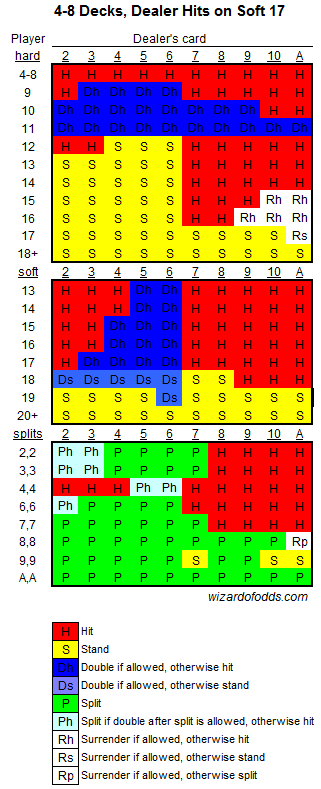
Friday's Google Kirkland Holiday Party featured what one might expect at a Google company party - great food, classic video games, casino tables, and the Google logo as an ice sculpture.I spent a fair amount of time at the blackjack tables. I like blackjack because it is a game that, if played carefully, can result in a player advantage over the house. Typically, in Atlantic City and Las Vegas, the house holds a 0.35% edge (with a 4 deck shoe) over the player, assuming the player plays the optimal blackjack strategy effectively. This edge can be erased and turned into a player advantage if the player keeps a hi/lo count, i.e. whether the chance of a ten being dealt is likely or not. However, doing so requires a lot of concentration, and playing even a few hands incorrectly can be very damaging. Recalling recent experiences in both AC and Vegas, it is extremely hard to keep the necessary concentration with all the flashing lights, buzzers, and general "this is real money we're playing with here" pressure.
So, Google's casino was a nice chance to play for fun in a low pressure enviroment. I got an initial stake of $30K (play money), and playing the basic strategy, built that into $100K in a relatively short time. The house rules here weren't posted, but I quickly found that they were VERY favorable to the player, including support for 5 card charlies, 2-1 payout on blackjacks, and something I hadn't seen before, pushes count as a win for the player.
Looking at the odds, support for 5 card charlies is a net gainer of 1.46%, and 2-1 on blackjacks is worth an extra 2.27%. Taking into account just those two rule changes, I was looking at a 3.38% advantage, and assuming about a 6% value for payout on pushes, the net player advantage was probably about 10%. With a number like that, you expect to double your money about every 7-8 hands, and I was able to do that several times over the evening.
When the dealer informed us that the casino part was about to shut down, I had chips totaling about $1M. There were prizes for the top 3 winners, and looking around, I saw at least two people who had what appeared to be bigger piles. Not wanting to lose out on account of being too careful with play money, I went all in on the last hand...
The dealer had a blackjack. Ouch.
If you find blackjack strategy or odds interesting, there is a lot to read at The Wizard of Odds.
Update: I found out from this site that about 9% of blackjack hands result in a push. So the player edge was actually over 12%. Will have to keep in mind for next time...
Tuesday, December 05, 2006
IM Client Detection from the Web
Many of today's IM clients add things during installation so that they can be detected by web pages. Most of them use a fairly standard technique to do so; they install an ActiveX object, which can be detected by IE, and register a MIME type than can be detected by Firefox/Mozilla. I took a few minutes and put together a page that checks for all of these various object and types, and it's able to detect most of today's major IM clients fairly reliably. (Google Talk's detection mechanism doesn't allow detection from arbitrary web pages, and I couldn't find any info on ICQ). The result is displayed in a table like the one above (just an image, not live detection).Try it out on your system, and please leave a comment if it didn't work or returned incorrect results for you (there are some known issues in Firefox). If you're curious about how it does its thing, please check out the source for the page - it's really quite simple once you know the CLSIDs and MIME types to look for.